Working Words is a multi-sensory program which has been created to help improve work related writing skills, specifically spelling and grammar. The program is designed to help people with a dyslexia, but is useful for anyone. It is easy to use; you choose the different sections in any order.
The program uses a holistic approach which maximises its effectiveness for people with a ‘conceptual’ or big picture style of learning.
Other special features in the program are: Quizzes, Worksheets, Animations , Chapter navigation to return to specific areas, Simple to use, Self assessment.
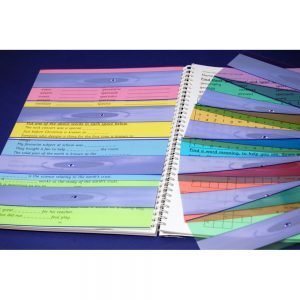
You can change the background colour in your windows preferences, but you can’t change the background colour of a web page. Monitor overlays are so simple – they just lie flat against your screen to reduce the glare. The colours can be combined to create deeper or mixed tints. Easy to cut down to fit your screen size.
Available in 4 sizes and 5 colours Aqua, Grass, Yellow, Sky and Pink.
Essential Mind Mapping Software for your business! MatchWare’s MindView Business is a professional MindMapping® software application that allows users to brainstorm and visualise ideas quickly and easily. MindView 7 Business makes meetings more productive, accelerates project planning and helps turn ideas into action faster than ever before!
Using MindView’s 7 interchangeable views, Mind Map, TopDown, Left Right, Outline, Timeline and Gantt Chart allows you to effectively present your ideas to your colleagues and customers. For instance, you can simplify a project plan by showing it in a Mind Map, or display it as a Gantt Chart orTimeline for project managers. It doesn’t matter if you are a linear or organic thinker; there is a view for you! Why not simplify your project planning by using Mind Mapping software? MindView allows you to brainstorm your project plan (WBS) digitally and transfer the plan into our built-in Gantt Chart, Timeline or export to Microsoft Project. Whether you are looking to optimise the initial planning stage or make Gantt Charts easier.
The highly anticipated release of MindView defines what a product upgrade should be. MatchWare revamped the software from the ground up, focusing on improving user experience and productivity. MindView 5 sets the industry standard for MS Office integration and comes with the new 2013 interface. With enhanced editing and cool new map styles, your mind mapping sessions will be more engaging than ever before!
Key Features
MS Office 2013 Interface
Improved MS Office and MS Project Integration
Enhanced Project Management Features Timeline and Outline Modes
The Duo Reading Ruler is a narrow (app. 1cm) strip for highlighting single lines of text. Broad (app. 2.5cms) strip for scanning ahead in a paragraph and for studying diagrams, tables, columns of figures etc. Text marker (a solid line on the edge of the broad strip) for tracking down a paragraph.
The pack of 10 mixed colours includes; Aqua Blue, Sky Blue, Yellow, Grass Green, Celery Green, Jade Green, Pink, Magenta, Orange and Purple
The pack of 5 Mixed Colours includes; a mixture of our most popular colours: Aqua Blue, Yellow, Grass Green, Pink and Sky Blue.
ZoomText Magnifier enlarges and enhances everything on your computer screen, making all of your applications easy to see and use. Zoom-in, sit back and enjoy using your computer without straining your eyes. ZoomText Magnifier enlarges and enhances everything on your computer screen, making all of your applications easy to see and use. Zoom-in, sit back and enjoy using your computer without straining your eyes. It’s simple enough for the casual user powerful enough for the corporate user just right for you.



Reviews
There are no reviews yet!