Working Words is a multi-sensory program which has been created to help improve work related writing skills, specifically spelling and grammar. The program is designed to help people with a dyslexia, but is useful for anyone. It is easy to use; you choose the different sections in any order.
The program uses a holistic approach which maximises its effectiveness for people with a ‘conceptual’ or big picture style of learning.
Other special features in the program are: Quizzes, Worksheets, Animations , Chapter navigation to return to specific areas, Simple to use, Self assessment.
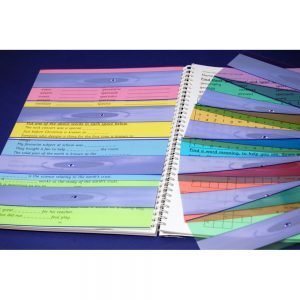
The Duo Reading Ruler is a narrow (app. 1cm) strip for highlighting single lines of text. Broad (app. 2.5cms) strip for scanning ahead in a paragraph and for studying diagrams, tables, columns of figures etc. Text marker (a solid line on the edge of the broad strip) for tracking down a paragraph.
The pack of 10 mixed colours includes; Aqua Blue, Sky Blue, Yellow, Grass Green, Celery Green, Jade Green, Pink, Magenta, Orange and Purple
The pack of 5 Mixed Colours includes; a mixture of our most popular colours: Aqua Blue, Yellow, Grass Green, Pink and Sky Blue.
Combining the revolutionary new features of ZoomText Magnifier with a powerful set of reading tools, ZoomText Magnifier Reader gives you the total computer access solution. ZoomText reads your documents, web pages and email right through your computer’s speakers. With ZoomText Magnifier Reader, your computer is easier to see, hear & use.
This is a Download version ClaroRead Standard is a highly effective multi-sensory software solution for supporting individuals who struggle with reading and writing. Designed with maximum simplicity, adaptability and flexibility, users of any age and level of ability will have a world of information unlocked through ClaroRead.
ClaroRead is easy to use and provides the perfect integrated Text to Speech tool for use with Micrososft Office.
ClaroRead has a range of additional voices in over 20 languages, which is also helpful for those learning an additional language. Users can also benefit from the addition of included visual tools that colour, highlight and focus on difficult to read text as it is spoken by the computer. Words can also be spoken back as they are typed, ensuring the accuracy of written papers, tests, and study notes.
Read&Write is the world’s leading literacy support software designed to assist users of all ages who require extra assistance when reading or composing text. The software provides users with dyslexia, literacy difficulties and English as a Second Language with literacy support throughout their education, from primary through to tertiary level and into the workplace.
This new licence offers even more to the end user and will develop to be even more useful than ever and is designed to be a truly holistic software solution.
Additional new features include: A revised and more user-friendly toolbar with a customer focused UX. Multi-platform coverage in one licence for all Read&Write platforms (Win, Mac, G Suite, iPad and Android tablet). Supporting multi device use and flexible working. Access to new features, enhancements and security updates during the term of the licence.




Reviews
There are no reviews yet!